

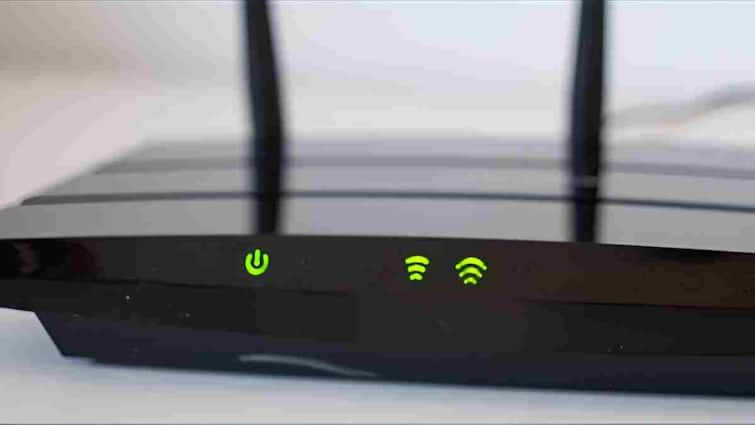
WiFi Router: Nowadays, internet has become an essential facility in every home. The first indication of home internet speed and connection health is often the colorful lights of our WiFi router. But most of the people ignore these lights considering them as mere decoration whereas these lights give important information about the status of your internet.
red, green, blue and white
There are different colored lights on the WiFi router and each color has a different meaning. The most common colors include green, blue, red, and sometimes white or yellow.
Green: Green light means that your internet connection is normal and stable. If this light is burning continuously then understand that your router and internet are working without any interruption.
Blue: The blue light usually indicates high-speed data transfer or a 5GHz connection. If this light blinks it means that data is actively being sent or received over the Internet.
Red: Red light is a warning. This often indicates an Internet connection problem, network down, or technical fault with the router. If this light is on continuously then you should contact your ISP (Internet Service Provider).
white yellow: In some routers, these colors are used to show the status of WiFi setup or new device connection.
Relation of lights to internet speed
Many people think that the lights of the router only add beauty, but the truth is that they are directly related to the internet speed. For example, if the blue light for a 5GHz network is blinking continuously, it means that high-speed data transfer is taking place. At the same time, if the internet suddenly slows down and the light becomes red or very slow, then it is a sign of speed or connection problem.
Easy to identify problem with lights
By looking at the lights of the router, you can easily identify whether there is any problem in the network. For example, if your video streaming is stuck and the router’s red light is on, the problem is with the router or the Internet connection, not just your device. This makes it easier to solve the problem in time.
things to keep in mind
It is important to pay attention to the router’s lights because they not only indicate the connection status but also show the health of your internet. Restarting the router from time to time and checking its signal and settings is important for better internet speed.
Also read:
Government issues high alert for Mozilla and Chrome users! Make these settings immediately otherwise hackers will steal all your data.